
How to Search the Mobile Court Docket
Identify the tribunal first. A Mobile Police Department citation means Mobile Municipal Court. A state citation, a felony, a major civil suit, or a District Court matter does not. The city publishes a docket route and keeps a separate Municipal Record Search for lookup work. Its citation portal can match a city ticket or case to payment data. It is not a full image-enabled case history, though. When you need the filed document itself, ask the municipal clerk or the payment window.
The most reliable Mobile search sequence is short:
- Read the court name and number on the newest Mobile citation or notice.
- Use the official Mobile dockets page for a calendar or the municipal record search for a citation.
- Compare the name, citation or case number, charge, and current setting.
- Call the Mobile clerk when an event is missing, changed, or unclear.
- Use the county portal only when the paper names a state Circuit or District Court.
Pick up the phone or a stamp. Mobile court staff answer at 251-208-7055. Written requests go by mail to P.O. Box 2446, Mobile, AL 36652, or in person at the right municipal window in Government Plaza. Use these routes when an online search shows payment data but not the event history or copy you actually need.
Six Mobile Citation Search Routes
The official Mobile municipal search gives users more ways to identify a ticket. Most nearby city portals offer fewer. Those options help when the citation number is simply unavailable. Every route still applies only to tickets written by Mobile police. A state trooper or county citation goes through the court printed on that ticket instead.
| Mobile search route | Fields used |
|---|---|
| Citation | Citation number |
| Driver license | License number, issuing state, birth date |
| Identity data | SSN and birth date |
| Vehicle | Plate and state |
| Person | First and last name, birth date |
| Business | Business name |
The municipal search page lays out all six lookup routes on a single screen, which makes comparing them quick.
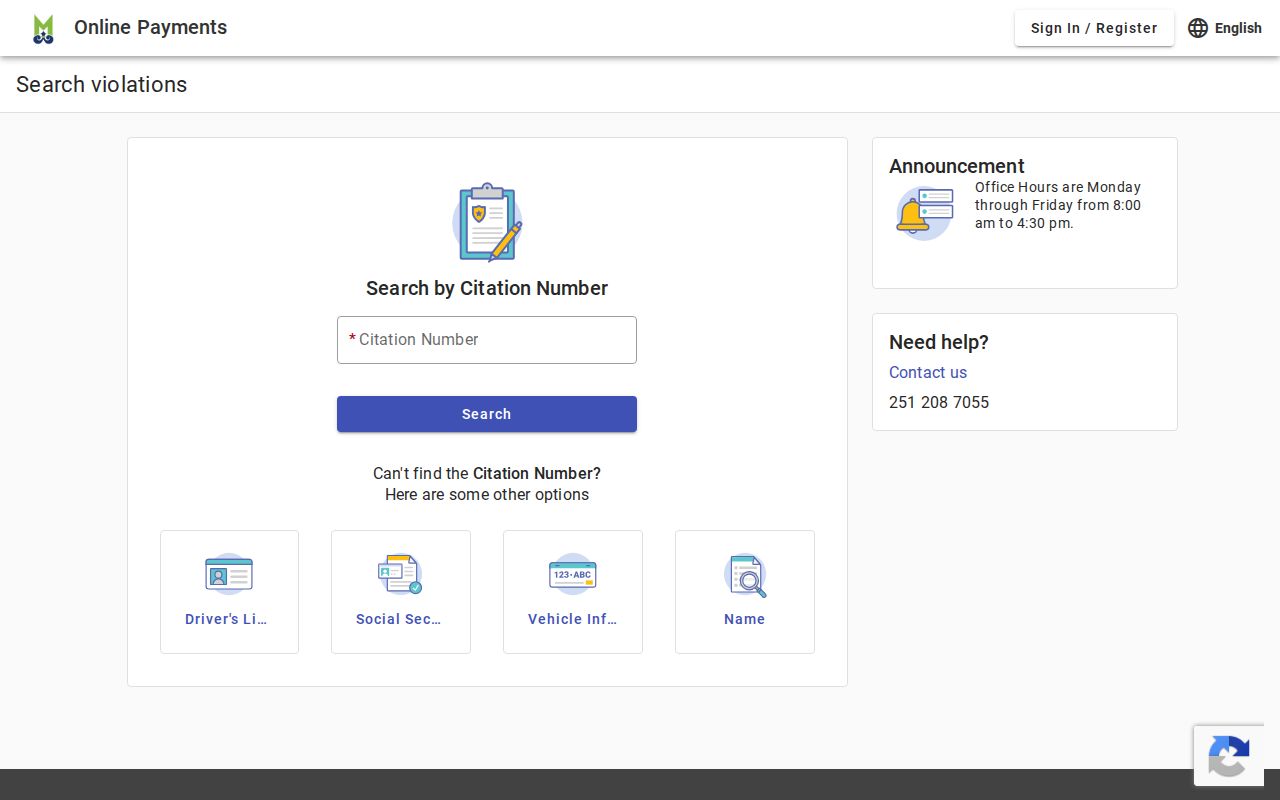
That screen is a lesson in caution. A Mobile name search should be checked against a birth date or an exact number before any result is treated as the intended city case.
The Mobile Municipal Court
Mobile Municipal Court handles misdemeanors committed inside city limits. Municipal traffic and ordinance cases land there too. You will find it on the second floor of the North Tower at Mobile Government Plaza, 205 Government Street, Mobile, Alabama 36602. Public hours run 8:00 a.m. to 4:30 p.m. Monday through Friday. The court site splits payments, dockets, forms and applications, and contacts into separate Mobile channels. Each task has its own door.
Government Plaza also houses state Circuit and District courts. That shared address can trip up a docket search fast. A Mobile municipal case stays with the city clerk. State courtrooms sit in the same tower, but that does not change it. Check the heading on the paper, not just the building. The city record lives with Mobile Municipal Court. Circuit and District records live with the Mobile County Circuit Clerk.
Mobile Municipal Court
205 Government Street, second floor North Tower
Mobile, AL 36602
251-208-7055
Monday through Friday, 8:00 a.m. to 4:30 p.m.
Mobile Court Docket Types
The published Mobile municipal docket is not one undivided list. It names bond and first-appearance, arraignment, disposition, and trial calendars, and it also separates Add-On, domestic-violence, traffic, DUI/traffic, gun, special-delinquency, and revocation dockets. The setting type tells you what stage is scheduled. It is not a final result.
- Arraignment
- The Mobile setting where the charge and plea are addressed.
- Disposition
- The recorded way a Mobile municipal case concluded.
- Add-On docket
- A Mobile calendar used for matters added outside the normal setting sequence.
- Revocation docket
- A setting concerning alleged failure to comply with an existing court disposition.
A later Mobile order or reset beats an older calendar entry. Always read the newest event. If a docket label is unclear, give the clerk the name plus the ticket or case number rather than guessing at the calendar.
Mobile Court Dates and Settings
Mobile publishes its city dockets. Still, the latest court notice is the first thing to check. Traffic calendars are listed for Tuesday at 2:00 p.m. and Wednesday at 5:00 p.m. Other case types use their own Mobile calendars. A reset leaves the old event in the history, so one date is never enough. Compare it with the newest notice, then call the court if they differ.
| Date | The current Mobile setting date, subject to a later reset or emergency closure. |
|---|---|
| Time | The listed calendar time, including the distinct Mobile traffic sessions. |
| Courtroom | The assigned municipal room in Government Plaza. |
| Judge | The judicial officer assigned to that Mobile calendar. |
| Setting Type | Arraignment, trial, disposition, traffic, revocation, or another named docket. |
Weather can upend the Mobile court docket in a day. In January 2025, the city canceled the January 22 municipal dockets during severe winter weather and said new dates would be mailed. That episode is the reason a saved page or old notice should never outrank a fresh city announcement plus direct clerk confirmation.
Mobile Court Record Windows
The Mobile courtroom and the records payment point are two different stops. Municipal Court sits on the second floor. Mobile routes document-copy requests and payment to the ground-floor Municipal Payment window instead. You can enter the correct building and still go to the wrong floor for the task. Ask for the event history, an ordinary copy, or whatever specific record you need.
The Mobile payment source also explains the accepted online payment channels. Visa and Mastercard are supported. Partial payment can be available too. Remember that payment is a case action. It is not a neutral way to hold a citation open. Read the plea and consequence notice before you finish.
The payment page makes one difference plain. Paying an eligible Mobile ticket is not the same as requesting the city court record behind it.
Mobile Traffic Tickets
A Mobile police citation lands in the Mobile municipal docket. Through the city portal you can search by citation number, license, person, plate, or business name. Prefer email? Send the name plus the ticket or case number to court@cityofmobile.org. You can also fax the details to 251-208-7034. When a Mobile ticket will not appear anywhere, go old school: visit the counter or call 251-208-7055.
Not every Mobile charge can be prepaid. DUI, leaving the scene, reckless driving, fleeing or eluding, highway racing, certain commercial-vehicle out-of-service violations, and any offense carrying mandatory jail are appearance matters, according to the city. Want to fight a charge? Show up on the assigned date and follow the court's instructions. State-issued citations across the county work differently. The details live in the Mobile County traffic court records.
Payment is a disposition choice. Confirm that the Mobile citation is eligible and read the portal notice before paying. An appearance-only charge must go before the court.
Mobile Docket Closures and Warrants
Miss a Mobile court date and the docket may move against you. The city has run repeated traffic-warrant clinics. A November 2025 clinic was described as the fourth in the series. A clinic gives eligible people a structured way to deal with an outstanding municipal warrant. It does not erase the docket, though, and no case changes without court action.
An alias warrant or missed date may show up. Contact Mobile Municipal Court with the ticket or case number handy. Ask which calendar or process applies, and take your new direction from the court itself. An online payment screen alone does not resolve a warrant. Insist on a docket entry, a written order, or clerk confirmation. Assume nothing is settled before that.
Note: A closure, clinic, or mailed reset can change your next step. Older Mobile calendar entries stay on the record as case history.
Where Mobile Cases End Up
Municipal jurisdiction stops at a firm line. Mobile ordinance violations, city misdemeanors, and city traffic cases belong to Mobile Municipal Court. That holds unless an appeal opens a state court record. Felonies and county matters under state law go to Mobile District or Circuit Court instead. A state citation belongs in state channels, not the city portal. That stays true even if it arose inside Mobile.
Docket flow: Mobile Municipal Court › Mobile County Courts › Circuit Court
Appeal a municipal case and it moves to Mobile Circuit Court. There it gets a trial de novo. That means a whole new trial, not a review limited to the city record. Alabama rules allow 14 days from judgment, or from denial of a timely postjudgment motion, to file the written notice. The same window covers the required bond steps. The municipal record stays where it was. For routing the new Circuit case at the county level, the Mobile County court docket is the place to look.
Mobile Court Docket Caseload
Mobile reported 29,070 municipal cases in the Alabama Administrative Office of Courts FY2025 report. Collections came to $3,242,134.08. Those figures size up the city docket nicely, but they forecast nothing about when a filing posts or a copy is ready.
The official incorporated-place data source ranks Mobile first among the county's five profiled cities. Its population figures supply the context used to order the city pages.
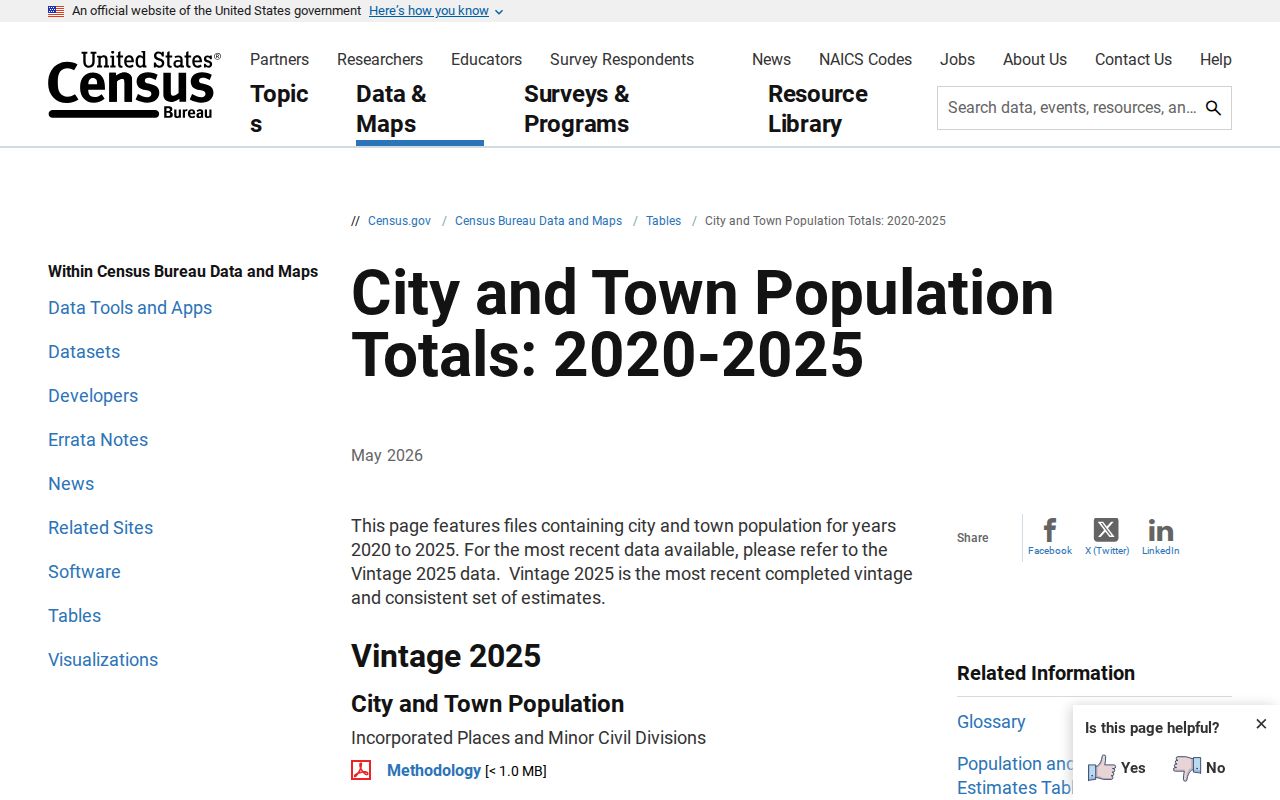
Population and caseload measure how big Mobile's system runs. Only the docket, a notice, or the clerk can answer a case-specific date or status question.
Public Access to Mobile Court Records
Mobile municipal records sit under Alabama's court-record rules and the city clerk's procedure. The Alabama Court-Record Privacy and Confidentiality Rules reach Municipal Courts. Rule 401 sets the baseline. An electronic docket and filed records may be viewed free at the clerk's office during regular hours, within lawful limits. Copy fees and postage may still apply.
Public access does not put every Mobile record on the web. Juvenile, youthful-offender, adoption, protection-related, mental-health, and sealed material can all be restricted. A blank search result only means the public interface returned nothing. Ask the Mobile clerk what identification, party status, authorization, or order is required. Just skip legal advice when you ask.
Key Rules:
Alabama Rule of Judicial Administration 30 governs public access and bulk distribution of court records.
Alabama Court-Record Privacy and Confidentiality Rules govern viewing, sealing, and protected information across municipal courts.
The Alabama Open Records Act, Ala. Code §§36-12-40 through 41, supplies a broad inspection principle, subject to court rules and confidentiality law.
Mobile City and State Records
A Mobile city case record and an Alabama licensing record are two different files. The municipal docket holds the citation, the plea, the settings, the judgment, and the court costs. The Alabama Law Enforcement Agency keeps its own driver record. It is built from matters reported to it. So the court file comes from Mobile Municipal Court. The separate state record comes from the licensing agency.
State trial cases follow the same split. Mobile County Circuit Clerk records flow through the state trial-court channels. That includes paid Just One Look and Alacourt subscription access. AlaFile handles filing and service; it is not a free anonymous Mobile docket. Keep that county and state routing in mind. Then return to the city clerk for any Mobile municipal copy or date.